 Compare Trade Copier Solutions 🥇 Start Here

Sale!
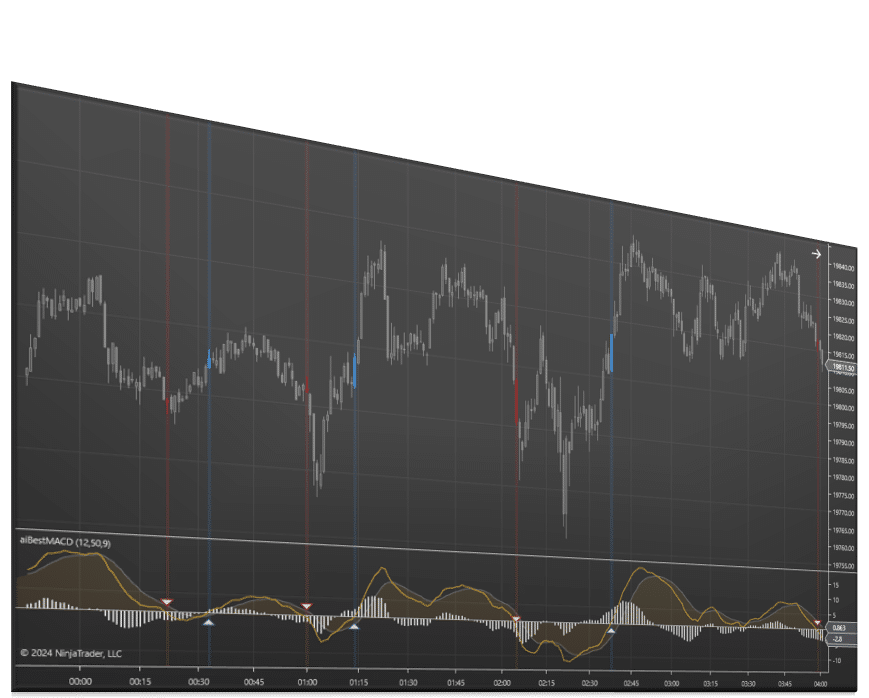
Best MACD Indicator
The Best MACD Indicator (Moving Average Convergence Divergence) for NinjaTrader is packed with premium features, including multi time frame capability, signal options, custom plots, and alerts.
The Best MACD Indicator for NinjaTrader gives traders a more flexible way to use MACD signals with multi-time frame analysis, customizable plots, signal icons, and alert options. Built for the NinjaTrader platform, it helps identify momentum shifts, crossover opportunities, and possible buy or sell setups with tools designed for faster decision-making and better chart visibility.
Summary
NinjaTrader MACD Features and Benefits
The Moving Average Convergence Divergence, or MACD, is a momentum indicator designed to show the strength or weakness of a price move and highlight possible buy or sell points. This version plots the MACD line, signal line, and histogram using the 12, 26, and 9 exponential moving averages, giving traders a more flexible way to work with a classic MACD setup.
- MACD crossover highlighting helps draw attention to crossover activity on the chart or indicator.
- Signal icons over crossovers make possible trade signals easier to identify visually.
- Custom signal icon settings give you more control over how signals appear on your chart.
- Multi time frame capability allows the indicator to be used on any chart window while choosing a secondary data feed for calculations.
- Alert options include text, email, sound, and popup notifications.
- Custom moving average type adds flexibility for traders who want to tailor the indicator to their preferences.
Included Signal Types
- MACD Zero Cross – MACD line crosses the zero level
- Histogram Zero Cross – histogram crosses the zero level
- Slope Change In Extreme – MACD slope changes up when above 0 or down when below 0
The indicator also integrates with Signal Entry Orders for semi automated order execution, making it a useful fit for traders who want to connect MACD signals with a more structured entry process.
For traders using multiple chart styles or time-based views, the multi time frame feature supports secondary data feeds including Tick, Volume, Range, Second, Minute, and Renko.
How to Use the NinjaTrader MACD Indicator
The NinjaTrader MACD can be used to monitor momentum and identify possible crossover-based trade opportunities.
Common ways traders use it include:
- Watching for MACD crossovers that may signal possible buy or sell points
- Using MACD Zero Cross and Histogram Zero Cross to track momentum shifts
- Monitoring the histogram to measure the difference between the MACD line and signal line
- Applying multi time frame calculations with a secondary data feed
- Using alerts to stay aware of conditions without constantly watching the chart
- Pairing the indicator with Signal Entry Orders for semi automated execution
Related NinjaTrader Indicators and Bundles
Support and Resistance Suite
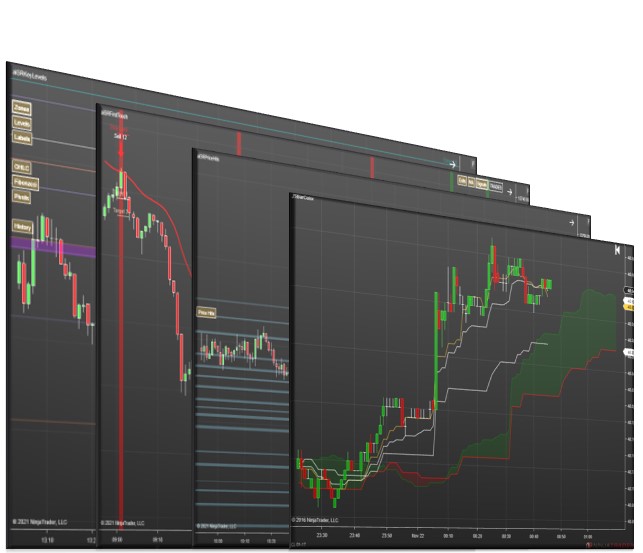
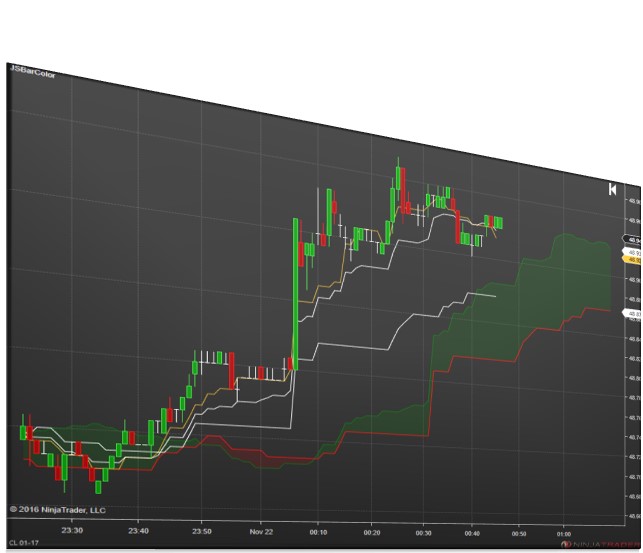
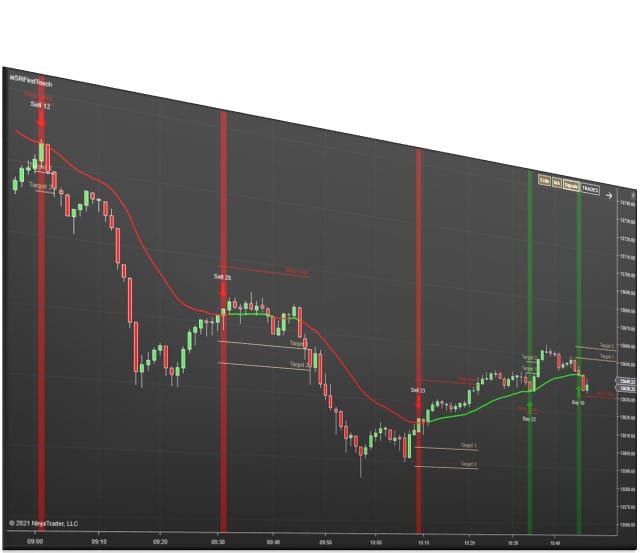
The Support and Resistance Suite bundles Affordable Indicators’ support and resistance tools together and also includes two signal indicators. It includes Key Levels Confluence, Price Action Confluence, First Touch Signals, and Ichimoku Cloud Signals.
Price Action Confluence
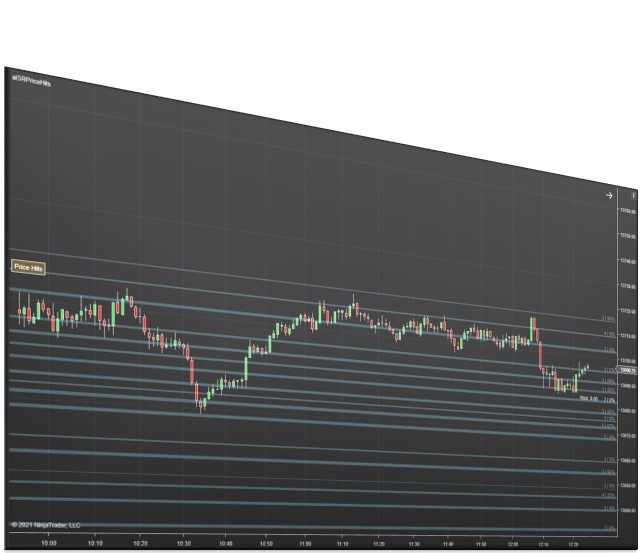
Price Action Confluence combines highs, lows, body highs, and body lows into zones where price is likely to respond in the future. It’s a strong companion to MACD for traders who want extra chart-based context around momentum signals.
NinjaTrader Trade Copier – Duplicate Account Actions
Duplicate Account Actions is Affordable Indicators’ NinjaTrader trade copier, built to keep positions and orders synchronized across multiple accounts. It supports trades placed on NinjaTrader, TradingView, or Tradovate and can be a useful add-on for traders managing execution across more than one account.
Download the Best MACD Indicator for NinjaTrader
The Best MACD Indicator for NinjaTrader gives traders a more flexible way to work with momentum, crossover signals, alerts, and multi time frame analysis inside NinjaTrader 8. If you want a more customizable NinjaTrader MACD, this indicator is built to help you track momentum and respond to MACD signals more efficiently.
Download the Best MACD Indicator today to improve how you track momentum and respond to MACD crossover opportunities in NinjaTrader.
Looking for more tools? Explore our full NinjaTrader software library.
Best MACD Indicator FAQ
What does the Best MACD Indicator help traders identify?
The Best MACD Indicator is designed to help traders measure the strength or weakness of a price move and identify possible buy and sell points using MACD crossovers and histogram movement.
Which MACD events can this indicator signal?
This indicator can signal MACD Zero Cross, Histogram Zero Cross, and Slope Change In Extreme conditions, giving traders multiple ways to monitor momentum changes.
Can I use this indicator on charts with different calculation inputs?
Yes. The indicator includes multi time frame functionality, allowing it to be added to any chart window while using a secondary data feed for calculations such as Tick, Volume, Range, Second, Minute, and Renko.
Can this indicator notify me when a condition occurs?
Yes. The indicator includes audio, email, text message, and popup alert options so you can stay aware of signal conditions without constantly watching the chart.
Can the Best MACD Indicator be used with semi automated execution?
Yes. The indicator integrates with Signal Entry Orders for semi automated order execution.
Want to automate this signal? This product integrates with Signal Entry Orders for semi automated order execution.
Signal Entry Orders
Multi Time Frame
Multi time frame functionality allows this NinjaTrader indicator to be added to any Chart window while choosing any secondary data feed for the calculations: Tick, Volume, Range, “Second”, “Minute”, “Renko”.
This indicator includes audio, email, and text message alert options.
Alerts
NinjaTrader Trade Copier
Are you searching for the perfect tool to take your trading game to the next level? Look no further than our NinjaTrader Trade Copier product: Duplicate Account Actions. This powerful indicator allows you to seamlessly duplicate account actions from a selected master trading account to an unlimited number of slave accounts. Experience more efficient and effective trading by tracking executions and submitting orders with ease. Say goodbye to the hassle of manual trade copying and hello to a game-changing tool for any serious trader. Upgrade your trading game with Duplicate Account Actions today.
New to NinjaTrader? Check out our NinjaTrader page to get started! It is free to download immediately. Have other questions about NinjaTrader? Check out our FAQ page!
NinjaTrader Platform
Discord
We’ve created a community platform where users can interact with and help each other succeed in their day trading goals. Join our Discord Channel Today!
Category: Indicators
Tags: Oscillators, Signals

Buy With Confidence
We have a strong foundation with over 12 years of experience serving thousands of NinjaTrader users.

Contact Our Team
We would love to hear from you! The best way to reach us immediately is using the circular help button in the bottom right corner of this page.
Check out other related NinjaTrader indicators and tools...
-
Sale!
 Bundles
Support and Resistance Suite
$1,495.00$895.00 40% OFF This product has multiple variants. The options may be chosen on the product page -
Sale!
 Indicators
Ichimoku Cloud Signals
$195.00 This product has multiple variants. The options may be chosen on the product page -
Sale!
 Indicators
First Touch Signals
$495.00$395.00 20% OFF This product has multiple variants. The options may be chosen on the product page -
Sale!
 Indicators
Price Action Confluence
$995.00$495.00 50% OFF This product has multiple variants. The options may be chosen on the product page