
Signals
We offer the best NinjaTrader signal indicators that plot arrows, lines or other types of signals when specific logic is qualified. Most of our NinjaTrader indicators have several signal options. Every indicator in this list works with Signal Entry in the Enhanced Chart Trader, which enters on the signal once you arm it. Want a signal of your own? Describe it in plain English and AI Trading System Builder, inside Enhanced Chart Trader, builds it for you.
Signals products
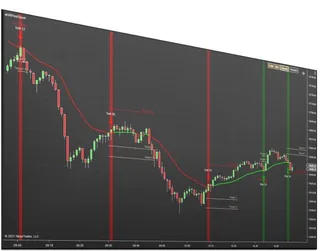
First Touch Signals
Signals, targets, and stops on the first touch of a moving average
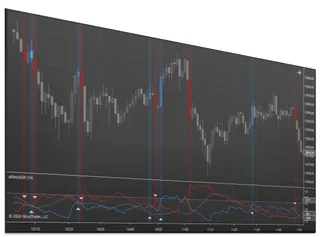
Best ADX Indicator
Measure how strong a trend is on a 0 to 100 strength scale
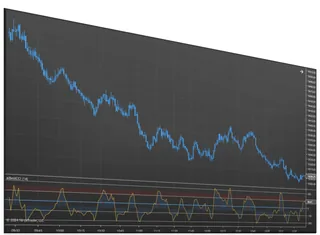
Best CCI Indicator
An oscillator that flags trend shifts and overbought or oversold turns
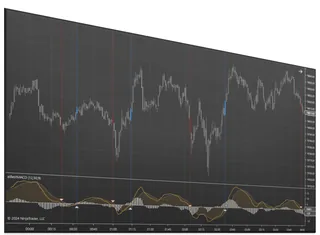
Best MACD Indicator
Read momentum from the MACD line, signal, and histogram
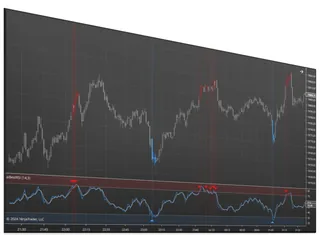
Best RSI Indicator
Spot overbought, oversold, and reversals with a flexible RSI
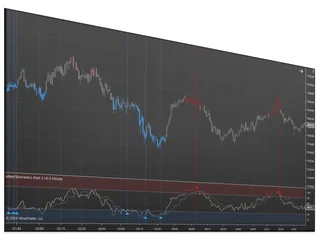
Best Stochastics Indicator
A momentum oscillator that flags turns before price moves
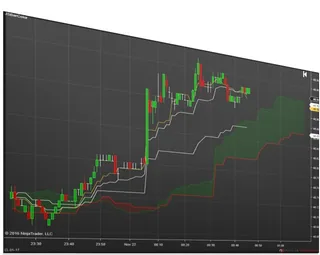
Ichimoku Cloud Signals
The full Ichimoku Cloud with up to five configurable signal arrows
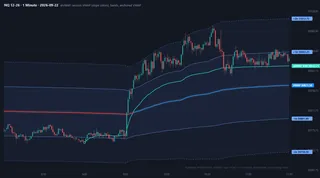
VWAP Studio
Plot session, weekly, monthly and anchored VWAPs with standard deviation bands and alerts on any…
About Signals
A signal indicator watches the market for one specific condition and marks the bar where it happens, usually with an arrow, a dot, a colored bar or a line. The condition can be a crossover (MACD crossing its signal line), a level being reached (RSI leaving overbought), a touch (price pulling back to a moving average in a trend) or a pattern in the cloud (an Ichimoku cross). The indicator does not know whether the trade will work. Its job is to apply your rule the same way on every bar, so you stop second-guessing what you saw.
The indicators on this page each plot their own signals and let you choose which conditions count. First Touch Signals marks the first pullback to a moving average after a trend is established, with a target and a stop. The Best RSI, MACD, Stochastics, CCI and ADX indicators add selectable signal logic, alerts and multi-time-frame calculation to the classic studies. Ichimoku Cloud Signals can show arrows for up to five standard cloud signals, and VWAP Studio adds alerts on its VWAPs and bands.
Most of these signals can also drive an order. Signal Entry Orders, a module of the Enhanced Chart Trader, waits for the current bar to close with your signal and then submits the entry with the account, quantity and ATM Strategy already set on the panel. You still decide when the logic is armed, so it is semi-automated rather than a strategy running on its own.
Common questions
Is a buy/sell arrow enough to trade on?
Not on its own. A signal is a rule applied consistently; it still needs a market context (trend, key level, time of day), a stop and a size you have decided before the bar closes. Test any signal in NinjaTrader's Playback or simulation account first and write down how often it worked in the conditions you trade.
Why does a signal sometimes appear and then disappear?
If an indicator calculates on each tick, a condition can be true in the middle of a bar and false by the close. Calculating on bar close (or waiting for the bar to close before acting, as Signal Entry Orders does) gives you only signals that held.
Can I get an alert instead of watching the chart?
Yes for most of them: the Best RSI, MACD, Stochastics, CCI and ADX indicators and VWAP Studio have alert options, and NinjaTrader shows them in its Alerts Log window with an optional sound.
Do these work on Renko, Range or tick charts?
They run on any NinjaTrader Desktop chart type. Remember that bar types change how often signals appear, so settings that suit a 5-minute chart rarely suit a 4-tick Renko chart.
Which one should I start with?
Start with the study you already understand. If you trade pullbacks in a trend, First Touch Signals fits; if you read momentum, the RSI, MACD or Stochastics versions add the signal and alert options NinjaTrader's built-in versions lack.