
VWAP Studio
Free VWAP, anchored VWAP and VWAP bands for NinjaTrader 8
Plot session, weekly, monthly and anchored VWAPs with standard deviation bands and alerts on any NinjaTrader 8 chart, free. Pro adds VWAP pullback signals with stops and targets.
Free for good: VWAPs on any anchor, bands, prior VWAP levels and alerts. Your first 7 days include every Pro feature.
Create your free accountSee what's free and what's paid in all our tools
Overview
VWAP Studio is a volume weighted average price (VWAP) indicator for NinjaTrader 8, built around how traders actually use VWAP. The core is free for good with your Affordable Indicators account, and it needs no Order Flow+ license.
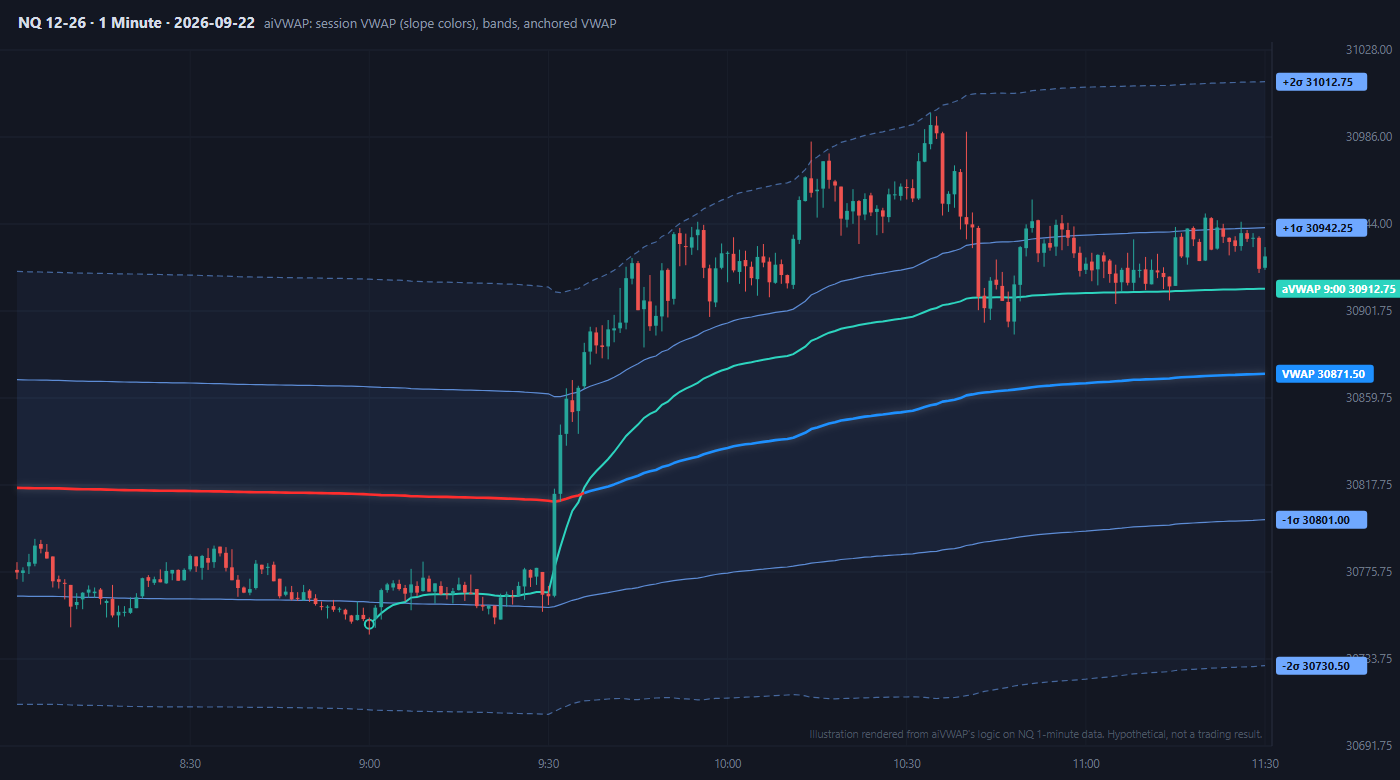
Anchor the VWAP to the session, week, month, quarter, year or any clock time (an RTH VWAP on an ETH chart, for example), in bar or tick resolution. Add up to eight more VWAPs from the VWAP button on the chart toolbar: anchor one on any bar and drag it, or turn on week, month, RTH, overnight, London, Tokyo, swing highs and lows, the high and low of the day, the overnight and prior day highs and lows, and more. Each one has its own color, bands and alerts, and an anchored VWAP shows on every chart of the same instrument (MNQ and NQ share them).
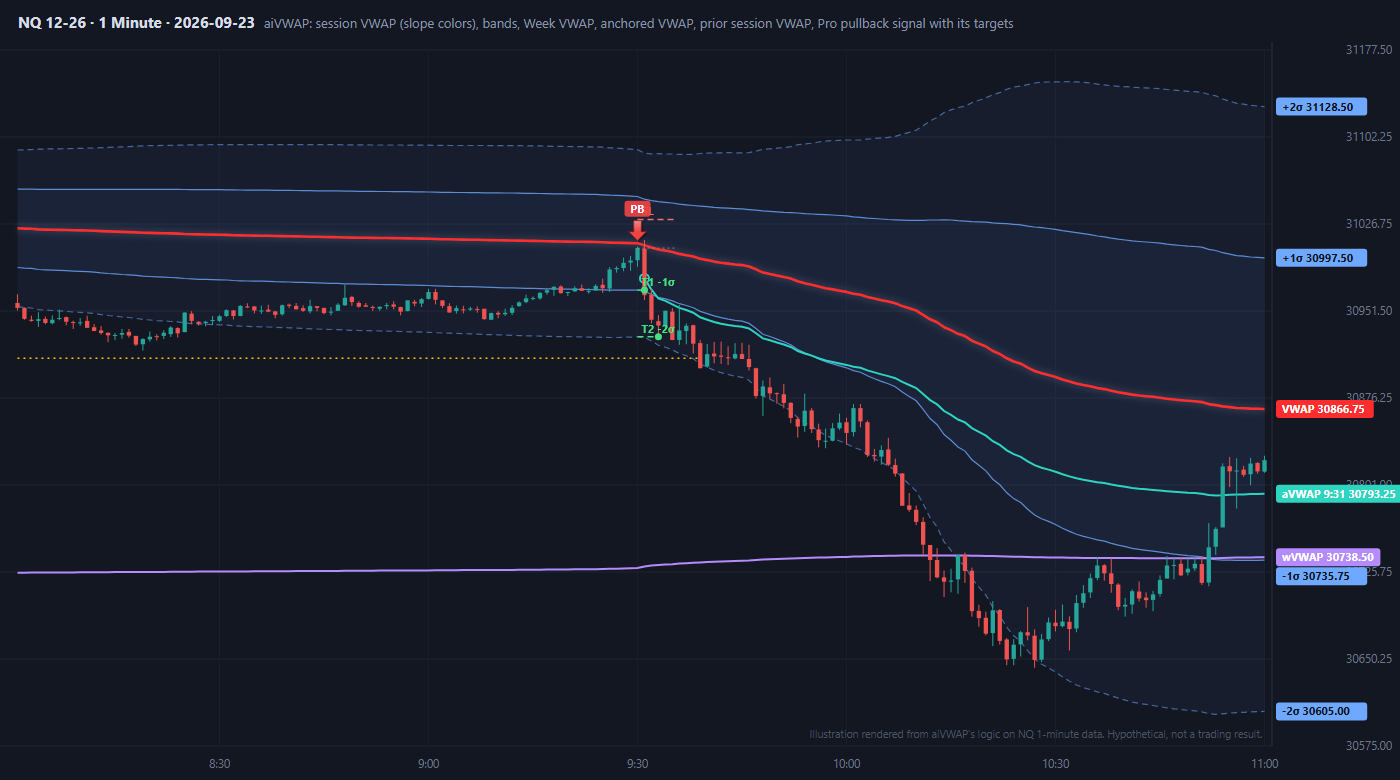
VWAP Studio Pro adds the signals: a pullback entry after price runs on one side of VWAP and comes back to it, plus reclaim and band fade setups. Every signal is decided when its bar closes, projects its stop and targets from the standard deviation bands, and is scored on your loaded history, so you can see how it has played out. Your first 7 days include every Pro feature.
New to VWAP? Our guides cover what NinjaTrader’s own VWAP needs, anchored VWAP, VWAP trading strategies for futures and VWAP standard deviation bands.
📦 What's Included
Refund and Sales Policy
30-day money-back guarantee. If this product does not work as advertised, report it within 30 days of your purchase and give us 14 days to resolve the issue. If we cannot, you get a full refund. The guarantee covers the purchase price only, never trading results or losses on any account. Read the full terms.
Product licenses can only be used on the purchaser's computer(s). All purchases include a lifetime license with free future updates.
VWAP Studio Features & Benefits
VWAP on every anchor
Session, week, month, quarter, year, or a custom window such as 9:30 to 16:00 ET with its own time zone. Bar or tick resolution on every anchor.
Anchored VWAPs you drag
Anchor a VWAP on any bar from the chart toolbar, then drag its handle to move it. It snaps to the swing high or low and shows on every chart of the instrument.
Up to 8 more VWAPs
Turn on week, month, quarter, year, RTH, overnight, London, Tokyo, any clock time, swing highs and lows, and auto anchors (high and low of day, overnight and prior day high and low, highest-volume bar). Each with its own color, width, bands and price flag.
Standard deviation bands
Volume weighted bands at 1, 2 and 3 standard deviations with graded fills. Off by default.
Slope colors
The VWAP turns blue while it rises and red while it falls, so the trend reads at a glance.
Prior VWAP levels
Each finished period's closing VWAP stays on the chart until price trades back through it (a naked VWAP). Up to 10.
Alerts
Sound alerts when price touches the VWAP, a band or any added VWAP, or closes through an added VWAP. First touch only, never one per tick.
Pullback signals (Pro)
After price runs on one side of VWAP, the first pullback to VWAP that holds prints an arrow. Decided when the bar closes: an arrow never appears and disappears mid-bar. Reclaim and band fade setups too.
Targets, stops and scorecard (Pro)
Each signal projects its stop and its targets from the standard deviation bands (never under 1R) and marks where they were hit. Hover an arrow for the whole trade; the scorecard shows hit rates and average R on your loaded history.
Always current
VWAP Studio tells you when a new build is ready, and updates are free.
Included with your purchase
Lifetime Purchase
A one-time purchase with a lifetime license — no monthly or yearly fees. Buy once and it stays yours across every future version.
Free Updates
Free lifetime upgrades — every new feature and improvement is included at no extra cost, updated regularly from trader feedback.
Customer Support
Human live-chat support included with every license — real people who usually reply within minutes, before and after you buy.
No video for this one yet
We have been heads down building VWAP Studio instead of filming it. Guilty.
If seeing it move would help you decide, just ask. Tell us what you want to see and we will bump it to the top of the recording list. We would rather make the video you actually need than guess.
In the meantime, we answer questions with real humans, usually within minutes. Ask us anything about VWAP Studio and we will show you exactly how it works.
Plenty of walkthroughs are on the channel already. This one is just next in line.
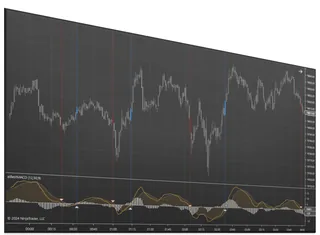
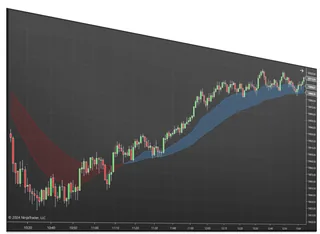
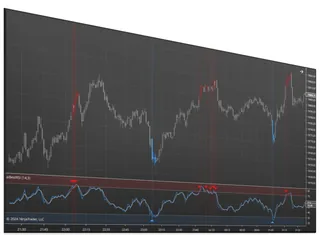
Screenshots
Requirements & Setup
System Requirements
| Platform | NinjaTrader Desktop (NinjaTrader 8) |
| NinjaTrader versions | NinjaTrader 8.1.x.x (every 8.1 release, including the latest, 8.1.8.4) and NinjaTrader 8.0.28.0. On 8.0.28.0? After you buy, request the 8.0.28.0 build in your Members Area or ask us on live chat. |
| Account | Free Affordable Indicators account (confirmed email) with the NinjaTrader machine ID of this PC added |
| Free version | VWAP, bands, added and anchored VWAPs, prior levels, alerts |
| Pro | Signals, targets, stops, scorecard. 1 PC or 2 PC lifetime license |
| Install | Tools › Import › NinjaScript Add-On |
Installation
The free version and VWAP Studio Pro are one download. Set it up in this order:
- Create your free account with the Start free button on this page (or log in), then confirm your email from the message we send you. Start free also adds VWAP Studio to your NinjaScript Downloads.
- Add this PC’s NinjaTrader machine ID. In NinjaTrader open Help › About, copy the NinjaTrader Machine ID and add it under NinjaTrader Machine IDs in your Members Area. The free version runs on one PC.
- Download VWAP Studio from NinjaScript Downloads in your Members Area. Bought VWAP Studio Pro? It is already there.
- Import it in NinjaTrader: Tools › Import › NinjaScript Add-On, then choose the zip you downloaded.
- Add aiVWAP to a chart from the Indicators window and enter your account email on the chart plate. Your first 7 days include every Pro feature.
Need help? Use our human chat support or join the Discord community.
Good to Know
Which NinjaTrader version does this work with?
It is built for NinjaTrader Desktop (NinjaTrader 8) on Windows: every 8.1.x.x release, including the latest, 8.1.8.4, and NinjaTrader 8.0.28.0. On 8.0.28.0, request the 8.0.28.0 build in your Members Area or ask us on live chat after you buy. Like every NinjaTrader add-on, it does not run on NinjaTrader Web or the NinjaTrader mobile app.
Is this a one-time purchase or a subscription?
A one-time purchase. Every license includes a lifetime license with free future updates — no recurring fees.
Can I use it on more than one computer?
Yes — choose the 2 PC license option at checkout to run it on a second computer.
Do I get free updates?
Yes — free lifetime updates. New versions appear automatically in your Members Area.
What support is included?
Human chat support plus our active Discord community, backed by 18 years of NinjaTrader programming experience.
What is your refund policy?
This product is covered by our 30-day money-back guarantee. If it does not work as advertised, report it within 30 days of your purchase and give us 14 days to resolve the issue. If we cannot, you get a full refund. It covers the purchase price only, never trading results or losses on any account. See the full terms.
Frequently Asked Questions
Is there a free VWAP indicator for NinjaTrader 8?
Yes. VWAP Studio is free for good on one PC with a free Affordable Indicators account. The free version includes the VWAP on every anchor, standard deviation bands, up to eight added and anchored VWAPs, prior VWAP levels and alerts. VWAP Studio Pro adds pullback, reclaim and band fade signals with targets, stops and a scorecard, and your first 7 days include every Pro feature.
How do I download and install VWAP Studio in NinjaTrader 8?
Create a free Affordable Indicators account and confirm your email. In your Members Area, add your billing address and this PC's NinjaTrader machine ID (NinjaTrader shows it under Help, About). Add VWAP Studio to NinjaScript Downloads and download it, then in NinjaTrader choose Tools, Import, NinjaScript Add-On. Add aiVWAP to a chart from the Indicators window and enter the email you signed up with.
Do I need NinjaTrader Order Flow+ to use VWAP?
Not with VWAP Studio. NinjaTrader's own VWAP is part of its Order Flow+ subscription, but VWAP Studio computes its own VWAP in bar or tick resolution and needs no Order Flow+ license. Tick resolution builds the VWAP from every trade print, on every anchor and every intraday bar type, so you get an exact VWAP without the subscription.
How do I add an anchored VWAP in NinjaTrader 8?
Click VWAP on the chart toolbar, choose Anchor VWAP on next click, then click the bar you want to anchor from. The VWAP starts at that bar's open. To move it, click the dot at its anchor to pick it up, then click another bar to drop it. You can add up to eight extra VWAPs, each with its own color, bands and alerts.
Does VWAP Studio include VWAP standard deviation bands?
Yes, and they are part of the free version. It draws volume weighted standard deviation bands around the VWAP at 1, 2 and 3 standard deviations, with graded fills between them. You choose how many bands to show, from none to three, and can change each band's multiplier. The same bands set the targets and the fade band for the Pro signals.
Can VWAP Studio show a weekly, monthly or RTH VWAP on a futures chart?
Yes. The main VWAP can anchor to the session, week, month, quarter, year, the RTH session or any clock time, such as 9:30 to 16:00 Eastern. On a 24-hour futures chart the session VWAP starts at the evening open, so choose RTH for a day-session VWAP. You can also add week, month, RTH, overnight, London and Tokyo VWAPs as extra lines.
What does VWAP Studio Pro add?
Pro adds the signals: a VWAP pullback entry after price runs on one side of VWAP and comes back to it, plus reclaim and band fade setups. Each signal projects a stop and targets from the standard deviation bands and is scored hypothetically on your loaded history. Pro also adds signal filters and signal alerts. It is a one-time purchase with a lifetime license and free updates.
Do VWAP Studio signals repaint?
No. A signal is decided when its bar closes, so an arrow never appears and then disappears in the middle of a bar. Signals are off on Heiken Ashi, Kagi, Line Break and Point and Figure charts, because their prices are computed rather than traded. The scorecard is hypothetical, with no slippage or commission, and when one bar touches both the stop and a target, the stop is counted first.
Does it work with NinjaTrader 8.0.28.0?
Yes. It runs on every NinjaTrader 8.1.x.x release, including the latest, 8.1.8.4, and on NinjaTrader 8.0.28.0, the last 8.0 release. 8.0.28.0 takes its own build: after you buy, request it in your Members Area (NinjaScript Downloads, then NinjaTrader 8.0.28.0) or ask us on live chat and we will set you up.
You may also like
 VWAP Studio