
Trade Copier
We offer the best NinjaTrader trade copier, Tradovate trade copier, and Rithmic trade copier for futures trading.
Trade Copier products

Duplicate Account Actions
Copies positions and orders across all your accounts in real time
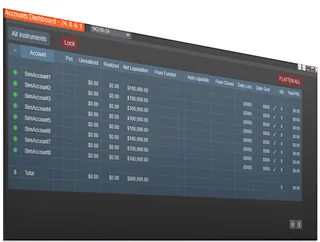
Account Risk Manager
Automatic daily-loss limits, drawdown tracking, and auto-liquidate protection

Accounts Dashboard Suite
Duplicate Account Actions + Account Risk Manager, in one dashboard
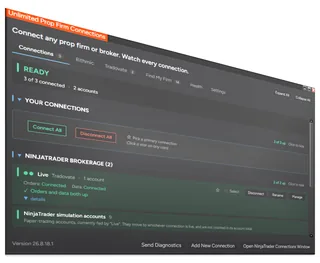
Unlimited Prop Firm Connections
Connect several Rithmic prop firm accounts at once in NinjaTrader 8
About Trade Copier
A trade copier places the same trades on several accounts at once. On NinjaTrader 8 it lets you trade one leader account and have your other accounts, at one prop firm or several, follow its orders and positions.
Duplicate Account Actions keeps positions and orders in sync across all your accounts. The Account Risk Manager manages risk on prop firm, funded and personal accounts. The Accounts Dashboard Suite puts both in one dashboard window. Unlimited Prop Firm Connections overrides NinjaTrader 8's limit of one Rithmic prop firm at a time and helps you keep an eye on your Tradovate API rate limits.
This page lists the copier products and their licenses. For how trade copying works on NinjaTrader, setup, and how our copier compares, read our main NinjaTrader trade copier guide.
Common questions
Does it copy between Rithmic and Tradovate accounts?
Yes. It copies between the accounts NinjaTrader is connected to, whether they come through Rithmic or Tradovate. To be connected to more than one Rithmic prop firm at the same time you need Unlimited Prop Firm Connections.
Copier only, or the full suite?
If you only need copying, Duplicate Account Actions is enough. If you also want risk controls on each account, the Accounts Dashboard Suite costs less than buying the copier and the risk manager separately.
What is a leader account?
The account you trade by hand. The follower accounts copy what happens on it: entries, exits and order changes.
Does copying work when NinjaTrader is closed?
No. The copier runs inside NinjaTrader Desktop, so NinjaTrader must be running and connected for orders to be copied.
Which product should I buy first?
Most traders start with Duplicate Account Actions or the Accounts Dashboard Suite. Add Unlimited Prop Firm Connections when you need more than one Rithmic prop firm connected at the same time.
Can I see every account in one place?
Yes, with the Accounts Dashboard Suite, which puts the copier and the Account Risk Manager together in one dashboard window.
How do I install it?
Like any NinjaTrader add-on: download it from NinjaScript Downloads in the Members Area, then in NinjaTrader choose Tools, Import, NinjaScript Add-On and select the file you downloaded.
What should I look for in trade copier software?
It should copy exits and order changes, not just entries, so a moved stop or a partial exit on the leader happens on every follower. It should work with the connections your accounts use, and let you see each account's position so you notice when one is out of sync. If you trade funded accounts, per-account risk limits matter as much as copying itself.
Can I copy to accounts at different prop firms?
Yes, as long as NinjaTrader is connected to all of them. Tradovate-based firms can be connected together; for more than one Rithmic prop firm at the same time you need Unlimited Prop Firm Connections. Each firm sets its own rules on copying, so read them before you copy to a funded account.
Do I need a VPS?
No. The copier runs in NinjaTrader Desktop on your own computer. That computer has to stay on and connected while you trade, so some traders choose a VPS for that reason, but it is not required.