
Support & Resistance
Spot the levels that matter — key levels, confluence zones, and price action.
Support & Resistance products
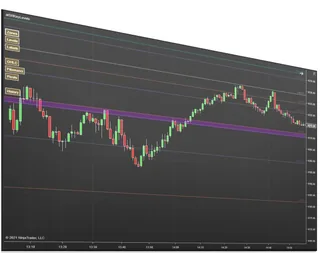
Key Levels Confluence
Merges pivots, Fibonacci, and key levels into high-reaction confluence zones
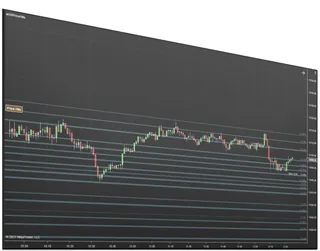
Price Action Confluence
Builds support and resistance zones from real price-reaction history
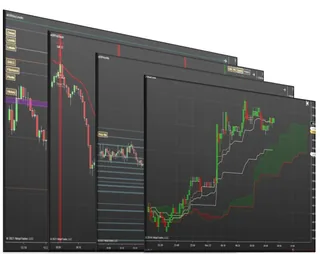
Support and Resistance Suite
All our support & resistance indicators plus 2 signal tools
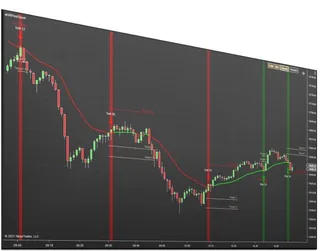
First Touch Signals
Signals, targets, and stops on the first touch of a moving average
About Support & Resistance
Support and resistance indicators mark the prices where the market has reacted before and is likely to react again. Instead of drawing lines by hand on every chart, these NinjaTrader 8 indicators calculate the levels for you and update them as new bars form.
Key Levels Confluence calculates daily levels and combines them into zones where price action is likely to respond. Price Action Confluence builds zones from highs and lows. First Touch Signals treats moving averages as areas of support and resistance and signals when price first touches them. The Support and Resistance Suite includes these together with Ichimoku Cloud Signals for less than buying them one by one.
Common questions
What is confluence?
Confluence is when several independent levels land at or near the same price. A zone where a daily level, a prior swing high and a moving average agree carries more information than any single line, which is why these indicators draw zones rather than single lines.
Which one should I start with?
If you trade around the day's key prices, such as the open and the prior high and low, start with Key Levels Confluence. If you read swings and structure, Price Action Confluence fits better. If you want all of them, the Suite costs less than buying each one separately.
How is this different from drawing lines myself?
Hand-drawn lines go stale and differ from chart to chart. These indicators calculate the same levels the same way every session, on every chart, and update them as new bars form.
Which markets do they work on?
Any instrument you can chart in NinjaTrader 8, such as futures, forex and stocks. Daily levels use the session data NinjaTrader provides for that instrument.
Can I use them with my own strategy?
Yes. They mark levels and zones; how you enter and exit is up to you, and they work alongside your other indicators and chart trading tools.
How do I install it?
Like any NinjaTrader add-on: download it from NinjaScript Downloads in the Members Area, then in NinjaTrader choose Tools, Import, NinjaScript Add-On and select the file you downloaded.
Do I need all of them?
No. Each indicator works on its own. Start with the one that matches how you read the chart, and add others later if you want more confirmation from the same zones.
Do they work on Renko or Range charts?
Yes. Price Action Confluence calculates on secondary data series, so its zones are the same on Renko, Range or Minute charts; the others calculate on the chart they are applied to.
How do traders use a zone?
Two common ways: trade a bounce, entering as price rejects the zone with a stop beyond it, or trade a break, waiting for price to close through the zone and retest it. Decide which you are trading before price arrives.
Where should my stop go?
Beyond the whole zone, not inside it, by a margin that suits current volatility, and size the position so that wider stop still risks what you planned.
Which time frame should levels come from?
Levels from higher time frames, such as the prior day's high, low and close, are watched by more traders than levels from a one minute chart, so they tend to produce stronger reactions.
Can I combine zones with order flow?
Yes. Many traders wait for a zone and then look at order flow, such as imbalances or absorption, to confirm that buyers or sellers are actually defending it before they enter.